 Thomas Co-founded P-THREE in 2019 after working as head of Leisure & Restaurants at Cushman & Wakefield for 13 years.
2. Review The Taxonomy Guide
Taxonomy is how your product will be found within different search methods on the Shoppe Online platform. Buyers will find your products in a few different ways. We recommend spending significant time on carefully choosing your product taxonomy as this will be how buyers find your products.
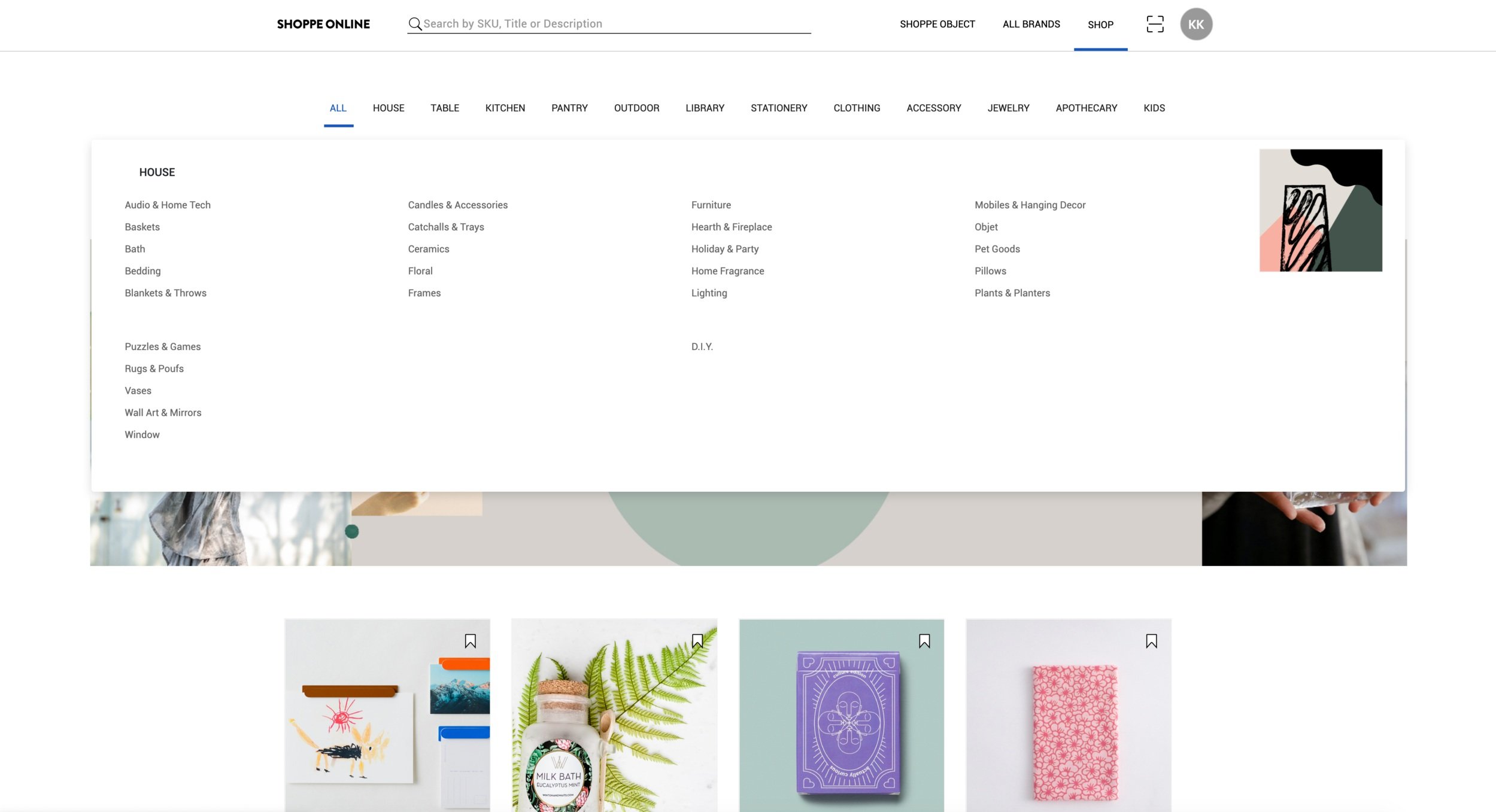
BROWSING CATEGORIES
At the top of the site, there are the 12 main categories. Buyers may click on a main category, then click on a subcategory to browse that selection.
PLEASE CLICK HERE FOR THE FULL LIST OF CATEGORIES & SUBCATEGORIES
Please review the tutorial video and template file on how to list your product categories and subcategories within the Type column.
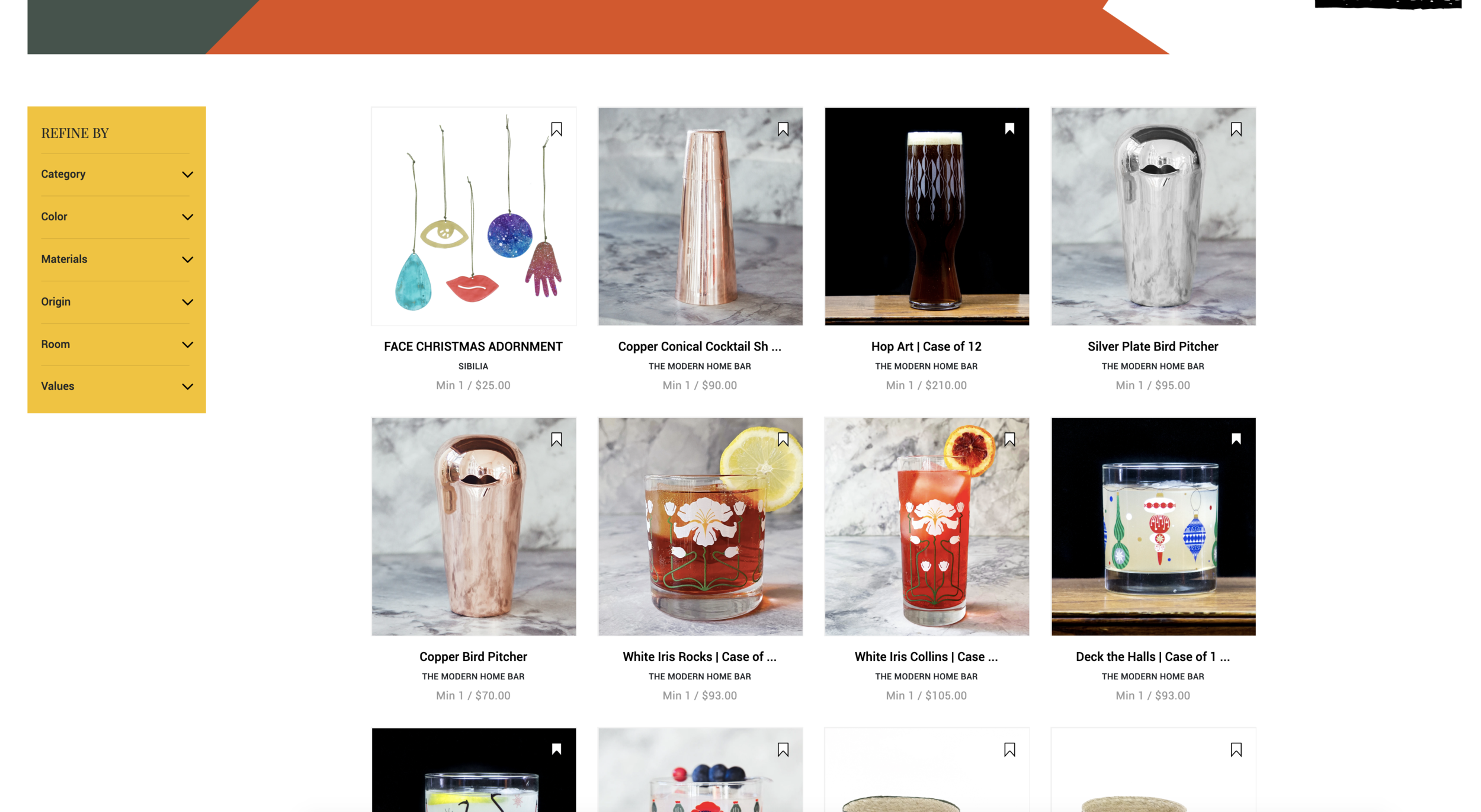
REFINING CATEGORY/SUBCATEGORY WITH FILTER BAR
After choosing a category and subcategory to browse, buyers may further refine the results by using the yellow filter bar.
The Five Filters are Color, Room, Values, Materials, and Origin.
PLEASE CLICK HERE FOR THE FULL LIST OF FILTERS
Buyers may choose to view only products made in Japan or only purple products etc. Please review the tutorial video and template file for how to list your product filters.
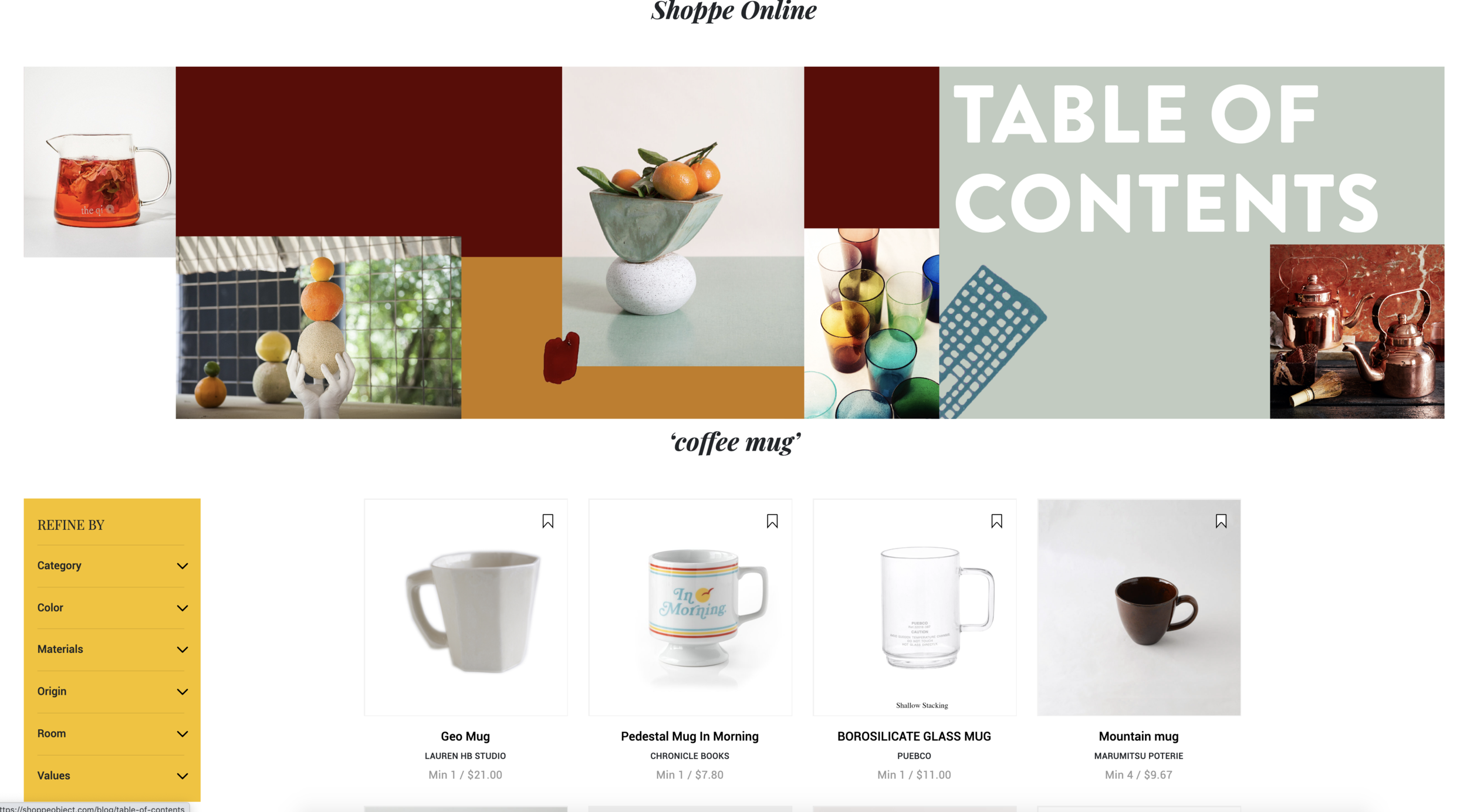
SEARCH BAR & PRODUCT TAGS
Buyers may also search for products using the search bar at the top of the page. Search results will show matchs to your product title, description, brand name, and product tags. Product Tags may be used for general terms such as new, reversible, limited edition, etc. Product Tags will also include all of The Story titles such as Pretty In Pink.
Please review the tutorial video and template file on how to list your product tags. Please review the marketing section for a full explanation of The Stories.
PLEASE CLICK HERE FOR THE FULL LIST OF STORIES AND THEIR TAGS.